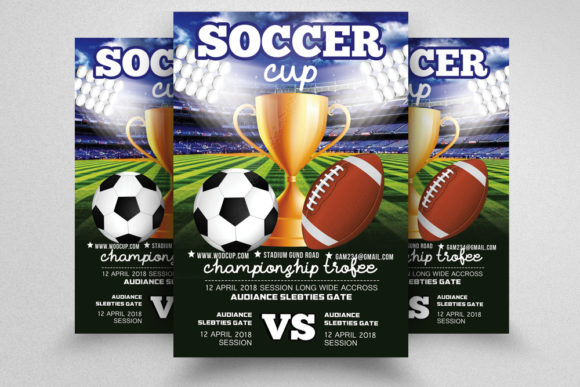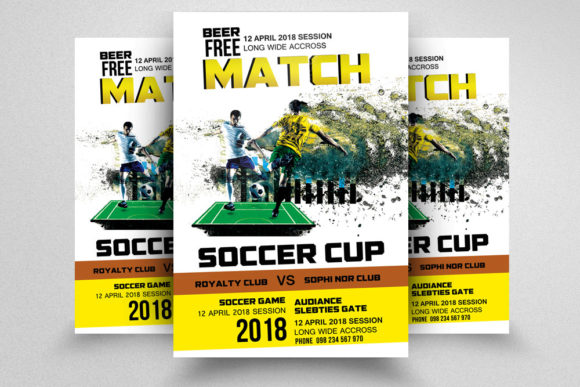
World Cup Soccer Flyer: Design Specs and Uses
Capturing the electric energy of international football requires visual assets that are as dynamic as the sport itself. A World Cup Soccer Flyer serves as a critical communication tool for events, watch parties, tournaments, and promotional campaigns surrounding the beautiful game. However, the effectiveness of this asset depends entirely on its technical foundation and adaptability. For designers, marketers, and event organizers, understanding the specific specifications—CMYK color mode, 300 DPI resolution, and precise bleed settings—is just as important as the aesthetic appeal. This template bridges the gap between professional print standards and accessible customization, allowing users across various skill levels to produce high-quality collateral without starting from scratch.
Technical Foundations for Print Excellence
The primary value of a professionally structured flyer template lies in its adherence to industry printing standards. This World Cup Soccer Flyer is configured specifically for physical distribution, utilizing CMYK color mode rather than RGB. This distinction is vital for anyone planning to print posters, handbills, or venue signage. CMYK ensures that the vibrant greens of the pitch and the bold colors of team jerseys translate accurately from screen to paper, preventing the muddy or desaturated output that often occurs when digital files are sent directly to commercial printers.
Resolution and sizing further define the utility of this asset. At 300 DPI (dots per inch), the file meets the minimum threshold for crisp, professional-grade printing. The dimensions are set to a standard 8.5×11 inches, making it compatible with both home office printers and professional print shops. Crucially, the inclusion of a 0.25-inch bleed area protects against trimming errors. For small business owners or local tournament organizers handling their own printing, this built-in safety margin prevents white borders from appearing on the final product, ensuring a polished look that reflects well on the event brand.
Streamlining Workflow with Smart Objects
Efficiency is often the deciding factor for professionals and freelancers working under tight deadlines. The architecture of this PSD file prioritizes workflow speed through the use of Smart Object layers. Rather than manually masking and adjusting new images every time a design update is needed, users can simply double-click the smart layer, replace the placeholder with their own photography, and save. The transformation automatically applies to the main composition, maintaining perspective and lighting consistency.
This feature holds different weights depending on the user's role:
- For Freelance Designers: It allows for rapid iteration. If a client requests three different variations featuring different star players or venues, the designer can generate these options in minutes rather than hours, increasing billable efficiency.
- For Marketing Teams: It enables localization. A national campaign can be adapted for regional branches by swapping in local team photos or sponsor logos while maintaining brand consistency across all locations.
- For Content Creators: It provides a reliable framework for social media content that matches printed materials, creating a cohesive cross-channel visual identity without requiring advanced compositing skills.
Accessibility for Beginners and Non-Designers
Not everyone tasked with promoting a soccer event has formal graphic design training. For hobbyists, community coaches, or parents organizing youth tournaments, the learning curve of Adobe Photoshop can be intimidating. This World Cup Soccer Flyer addresses that barrier through organization and documentation. The inclusion of an Instruction.txt help file acts as a dedicated guide, walking users through the basics of editing text and replacing images.
Furthermore, the use of free fonts eliminates a common friction point. Licensing typography can be confusing and costly for non-commercial or low-budget projects. By utilizing freely available typefaces, the template ensures that beginners do not encounter missing font errors or legal gray areas. The layers are logically named and grouped, meaning a user does not need to decipher cryptic layer names like "Layer 4 copy." Instead, they find intuitive labels that guide them to exactly what needs changing. This accessibility empowers community leaders to take ownership of their promotional materials, fostering a sense of pride and self-sufficiency.
Evaluating Value Across Different User Goals
Determining whether this template aligns with your specific needs requires looking beyond the preview image. Different stakeholders prioritize different aspects of a digital asset, and understanding these nuances helps in making an informed decision.
Commercial Viability for Entrepreneurs
For bar owners, sports lounges, and ticket vendors, the priority is conversion and reliability. The clean, professional layout of this flyer is designed to highlight key information—dates, times, specials, and calls to action—without visual clutter. The editable text layers allow for quick updates if match schedules change or if daily specials need rotation. Here, the value proposition is risk mitigation; the technical specs guarantee that marketing spend on printing yields usable results, and the organized file structure reduces dependency on expensive external agencies for minor edits.
Educational Utility for Students and Teachers
In academic settings, such as university clubs or design classes, the focus shifts to learning and flexibility. Educators may use this World Cup Soccer Flyer as a teaching aid to demonstrate proper file setup, bleed management, and non-destructive editing techniques. Students benefit from reverse-engineering a professional file, seeing how complex compositions are built using adjustment layers and masks. The well-organized layer structure serves as a best-practice example, providing educational value that extends beyond the immediate project.
Creative Freedom for Artists
Experienced designers often seek templates not as finished products, but as robust starting points. For this group, the quality of the base assets matters most. They evaluate the resolution of included textures, the flexibility of color grading layers, and the ease of integrating external elements. Because this file uses standard, well-supported Photoshop features, advanced users can deconstruct and rebuild elements to suit highly specific artistic visions without fighting against broken links or proprietary plugins.
Making the Right Choice for Your Project
Before downloading or purchasing, consider the scope of your current project. If you require a digital-only asset for Instagram stories, a print-ready CMYK file at 8.5×11 might require unnecessary resizing and color conversion. However, if your goal involves any physical media—from glossy handouts at a stadium entrance to matte finish posters in a community center—the technical rigor of this template becomes indispensable.
Also, assess your comfort level with Photoshop. While the instruction file and smart objects significantly lower the barrier to entry, basic familiarity with the software is still required. Absolute novices might pair this template with online tutorials on smart objects to maximize their success rate. Conversely, agencies managing multiple accounts will appreciate the standardized structure that allows junior designers to execute work safely without breaking the master file.
Ultimately, a World Cup Soccer Flyer is more than just a festive graphic; it is a functional tool designed to solve specific logistical and creative challenges. Whether you are prioritizing speed, print accuracy, educational value, or budget-friendly customization, evaluating the file through the lens of your specific audience and objectives ensures that the asset delivers tangible results. By leveraging professional specifications within an accessible framework, creators can focus less on technical troubleshooting and more on celebrating the passion of the game.